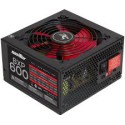
Just like other computer components, the power supply (PSU) of a computer will fail at some point. There are many causes of power supply failures such as the age factor, electrical interference, the presence of dirt or foreign matter, overheating and ventilation failures. In some cases, people will find it very hard to know whether the power supply has a problem or if some other part of the computer, such as the motherboard, is the issue. However, there are some symptoms that can guide you to know the exact components that have failed in your computer. Here are the common power supply failure symptoms:
The Presence Of a Strange Noises From the PSU
Strange noise is one of the common symptoms of a failed power supply. When your computer has been running normally, then all of a sudden there is a strange noise as the computer runs, then you should suspect power supply failure. The intensity of the noise is higher especially during the booting process of the computer and while powering off. If you hear a strange noise, pay particular attention to the back of the computer case where you see the computer power cord connection.
Nothing Happens When The Computer Is Turned On
This is the most obvious symptom. Failure to turn on at all is an indication that there is a problem with the power supply. The power will not reach the essential parts and the booting of the computer fails. Sometimes, this is accompanied by the flashing lights at the back of the computer or on the front of the computer if it has such lights. Whenever there is such a problem, you should check the power supply as it is most likely to be faulty.
Keep in mind, that not booting and not powering up are two completely different things. When you hit the power button, if the computer lights up and you hear fans running, a PSU issue is less likely.
Computer Turns On For Some Time Then it Suddenly Turns Off
For the continuous use of the computer, the power must be supplied continuously to the essential parts. When there is a problem with the power supply, it will not supply that required power continuously for a long period. It will just supply for some time then it will shut off. It is the most common sign when the power supply is about to fail. As time goes on, the time interval between two successive sudden shutdowns will keep reducing.
The Presence Of Frequent Electric Shocks When You Touch The Metallic Parts Of The Computer
There are some instances where there are electric shocks when you try to move your computer from one place to the other. You will not experience the electric shocks when the computer is new but as time goes, you will start experiencing it. Electric shocks in the metallic parts of the computer are one of the signs of the power supply failure where the power supply unit lacks proper insulation. There is some leaking current that will be conducted by the metallic parts hence the shock. At an instance like this, utmost caution would be required, and mostly the assistance of an electrician would come in handy. There are many electricians out there, who can do an electrical panel upgrade to resolve the issue or help with other electrical concerns. Keep in mind, ideally, the power supply unit should not allow currents to leak, and therefore you should not be experiencing these electric shocks.
These are a few of the main things to look out for when a power supply is failing. Know of another symptom to look out for? Let us know in the comments!
#mc_embed_signup{background:#fff; clear:left; font:14px Helvetica,Arial,sans-serif; }
/* Add your own MailChimp form style overrides in your site stylesheet or in this style block.
We recommend moving this block and the preceding CSS link to the HEAD of your HTML file. */
Stay up to date with the Latest Tech Tips, Hardware Guides, and our Exclusive Giveaways!
(Don't worry, we won't spam you)