
Last Updated: May 2026
RAM is one of the most impactful and affordable upgrades you can make to a gaming PC — and one of the most misunderstood. Too little and your PC stutters, struggles, and slows down noticeably. Too much and you’ve spent money on capacity you’ll never use. This guide explains exactly how much RAM you need for gaming in 2026, when upgrading makes sense, and what to buy.
What Does RAM Actually Do?
RAM (Random Access Memory) is your computer’s short-term working memory. When you launch a game, Windows loads the game data, textures, and assets into RAM where the CPU can access them instantly. The more RAM you have, the more data can be held in fast-access memory simultaneously.
When RAM fills up, Windows starts using your storage drive (SSD or HDD) as overflow — a process called paging. This is dramatically slower than RAM and causes the stuttering, slowdowns, and long load times that indicate a RAM shortage.
How Much RAM Do You Need in 2026?
8GB — No Longer Sufficient
8GB was the gaming standard just a few years ago but in 2026 it’s inadequate. Windows 11 alone consumes 3–4GB at idle, leaving only 4–5GB for games and background processes. Modern games regularly use 8GB+ of RAM. Running Chrome, Discord, and a game simultaneously on 8GB causes constant paging and stuttering.
If your PC has 8GB, upgrading to 16GB is the single most impactful upgrade you can make right now.
16GB — The Current Minimum for Gaming
16GB is the minimum recommended amount for gaming in 2026. It handles Windows 11, a modern game, Discord, and a browser tab or two without performance issues in most scenarios. For casual to intermediate gaming it’s the sweet spot — adequate for current games without overspending.
32GB — The Recommended Sweet Spot
32GB is the recommended amount for a new gaming PC build in 2026. It provides comfortable headroom for demanding games, streaming, content creation alongside gaming, and future-proofing as games continue to grow in memory usage. Several 2025–2026 AAA titles recommend 32GB. For anyone building new or upgrading, 32GB is the target.
64GB+ — Enthusiast and Professional Territory
64GB makes sense for professional workflows — 3D rendering, video editing, software development — run alongside gaming. For gaming alone 64GB provides no benefit over 32GB. Only invest in 64GB if your work or creative applications specifically benefit.
DDR4 vs DDR5 — Which Should You Buy?
This is the key question for new builds and upgrades in 2026.
DDR5 is the current generation memory standard supported by Intel LGA1700/1851 and AMD AM5 platforms. It offers higher bandwidth and lower power consumption than DDR4. For new builds in 2026 DDR5 is the right choice — prices have dropped significantly and it’s the standard going forward.
DDR4 is the previous generation still used in older Intel LGA1200/1151 and AMD AM4 platforms. If you’re upgrading an existing older PC that uses DDR4, stick with DDR4 — you can’t mix generations and replacing the motherboard just for DDR5 rarely makes financial sense.
Summary:
- Building new on AM5 or Intel LGA1700/1851 → DDR5
- Upgrading existing AM4 or older Intel → DDR4
- Never mix DDR4 and DDR5 — they’re physically incompatible
RAM Speed — Does It Matter for Gaming?
RAM speed (measured in MHz or MT/s) has a measurable but secondary impact on gaming performance compared to RAM capacity. The general guidance:
For Intel platforms — DDR5-5600 or DDR5-6000 is the sweet spot. Higher speeds provide diminishing returns on Intel.
For AMD Ryzen 9000 series (AM5) — DDR5-6000 is specifically recommended. AMD’s Ryzen 9000 series memory controller is optimized for this speed and delivers noticeably better performance versus slower RAM — particularly for APU builds where the CPU uses RAM as GPU memory.
For AMD Ryzen 5000 series (AM4) — DDR4-3600 is the recommended sweet spot. Similar reasoning — AMD’s memory controller is optimized around this frequency.
Dual channel always beats single channel — always install RAM in matched pairs (2 sticks) rather than a single stick. Dual channel configuration doubles available memory bandwidth and delivers 10–30% better performance than a single stick of the same total capacity. If you have one 16GB stick, upgrading to two 8GB sticks in matched dual channel delivers a noticeable performance improvement.
Is Upgrading RAM Worth It?
The answer depends heavily on how much RAM you currently have:
8GB → 16GB — absolutely worth it. This is one of the most impactful upgrades available for any PC struggling with modern games. Cost is typically $40–60 for DDR4 16GB kit.
16GB → 32GB — worth it for most gamers in 2026, particularly if you notice stuttering in demanding games or run streaming/creation workflows alongside gaming. Cost is $70–100 for DDR5 32GB kit.
32GB → 64GB — not worth it for gaming alone. Only makes sense if professional applications benefit.
How to Check How Much RAM You Have
Press Windows key + R, type dxdiag and press Enter. The System tab shows total installed RAM. Alternatively Task Manager (Ctrl+Shift+Esc) → Performance → Memory shows total RAM and current usage in real time.
If your RAM usage regularly exceeds 80–90% while gaming, upgrading is likely to deliver a noticeable improvement.
How to Upgrade RAM
Upgrading RAM is one of the easiest PC hardware upgrades:
Step 1 — identify what RAM your motherboard supports. Check your motherboard manual or use Crucial’s System Scanner (crucial.com) to identify compatible RAM type, speed, and capacity limits.
Step 2 — purchase a matched kit (two sticks of equal capacity and speed). Buying a matched kit from the same manufacturer ensures optimal dual channel compatibility.
Step 3 — shut down the PC, unplug it, and press the power button once to discharge residual electricity.
Step 4 — open the case and locate the RAM slots on the motherboard. Check your motherboard manual for the correct dual channel slot configuration — typically slots 2 and 4 (not 1 and 2) for dual channel on most boards.
Step 5 — press the retention clips at each end of the RAM slot outward, align the notch on the RAM stick with the slot, and press firmly until both clips click into place.
Step 6 — boot the PC and verify the new RAM is detected in Task Manager or BIOS.
For DDR5 systems, enable XMP/EXPO in BIOS after installation to run at the rated speed — by default RAM runs at a slower base frequency until XMP/EXPO is enabled.
Best RAM for Gaming in 2026
DDR5 (new builds):
- Kingston Fury Beast DDR5-6000 32GB (~$80–90) — excellent AM5 and Intel performance, reliable brand
- Corsair Vengeance DDR5-6000 32GB (~$85–100) — proven compatibility, JEDEC certified
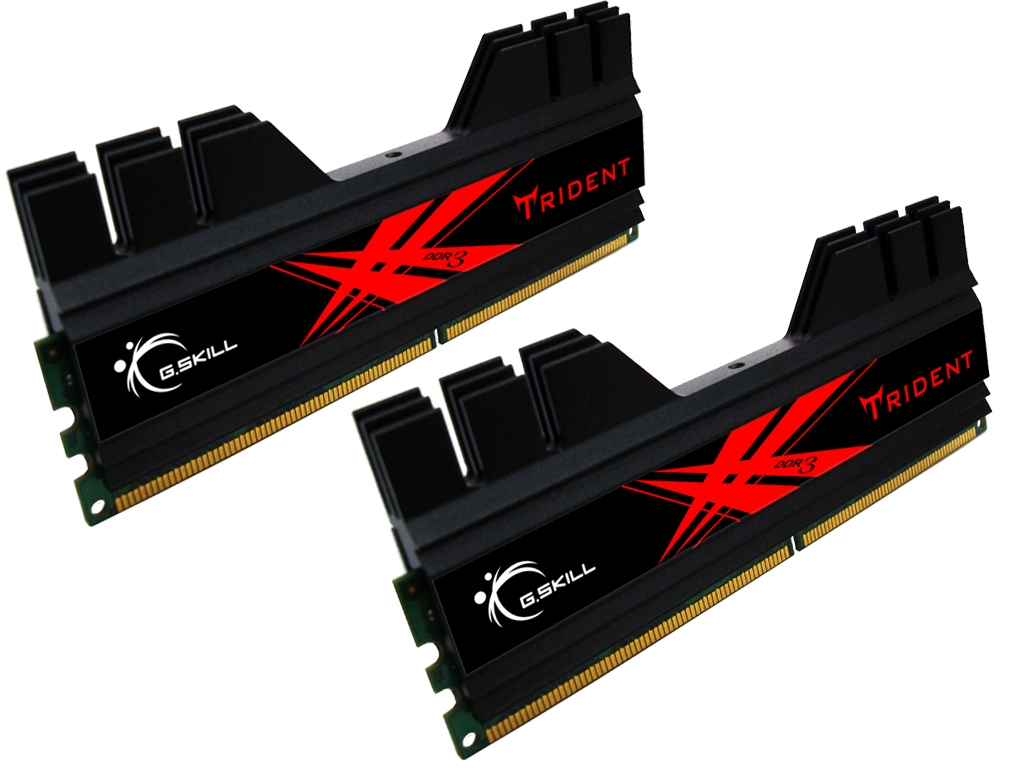
- G.Skill Trident Z5 DDR5-6000 32GB (~$90–110) — premium option with tight timings
DDR4 (existing builds):
- Corsair Vengeance LPX DDR4-3600 16GB (~$40–50) — reliable, wide compatibility
- G.Skill Ripjaws V DDR4-3600 32GB (~$65–80) — best value DDR4 32GB kit
Frequently Asked Questions
Is 16GB enough for gaming in 2026?
16GB is the minimum for comfortable gaming in 2026. Most games run well at 16GB but several demanding titles and running Discord, browser, and streaming simultaneously can push you toward the limit. 32GB is the recommended amount for new builds.
Does faster RAM improve gaming performance?
Moderately — RAM speed has a measurable but secondary effect on gaming compared to GPU and CPU. The biggest gaming improvements come from having adequate capacity (16GB minimum, 32GB recommended) and dual channel configuration. Beyond DDR5-6000 on AMD or DDR5-5600 on Intel, additional speed provides diminishing returns.
Can I mix RAM from different brands or speeds?
Technically possible but not recommended. Mixing speeds causes both sticks to run at the lower speed. Mixing brands can cause stability issues. Always buy a matched kit for best results.
Do I need to enable XMP/EXPO after installing new RAM?
Yes — DDR4 and DDR5 RAM runs at a slower default JEDEC speed until XMP (Intel) or EXPO (AMD) is enabled in BIOS. After installing new RAM enter BIOS on first boot and enable XMP or EXPO to run at the rated speed on the packaging.
upgrading ram is definitely an awesome thing to do. I recently added an extra 4Gb and noow I have 8GB GeIL Black Dragon RAM. Although I want too get some nice Corsair Vengeance or something
Thanks for the post 🙂