
Last Updated: May 2026
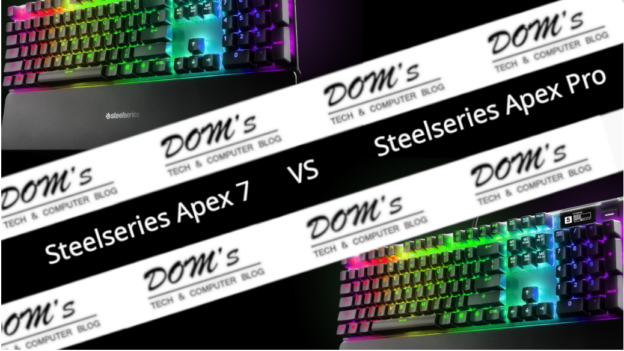
The SteelSeries Apex 7 and Apex Pro are two of SteelSeries’ flagship gaming keyboards — both built with aircraft-grade aluminum frames, both featuring OLED smart displays, and both excellent gaming keyboards in their own right. The difference between them comes down to one significant feature: the Apex Pro’s OmniPoint adjustable magnetic switches, which set it apart from virtually every other keyboard on the market.
Quick Verdict
Choose the Apex 7 if you want a premium mechanical keyboard with a proven switch selection at a lower price — excellent for most gamers.
Choose the Apex Pro if you want the most customizable switches available, the ability to set two actions per key, and are willing to pay more for cutting-edge switch technology.
Side-by-Side Specs
| Feature | SteelSeries Apex 7 | SteelSeries Apex Pro |
|---|---|---|
| Switch type | SteelSeries QX2 mechanical | OmniPoint 2.0 magnetic |
| Actuation | Fixed (varies by switch) | Adjustable 0.2–3.8mm |
| Dual action per key | No | Yes |
| OLED display | Yes | Yes |
| Frame | Aircraft-grade aluminum | Aircraft-grade aluminum |
| Wrist rest | Magnetic, detachable | Magnetic, detachable |
| USB passthrough | No | Yes |
| Per-key RGB | Yes (16.8M colors) | Yes (16.8M colors) |
| Software | SteelSeries GG | SteelSeries GG |
| Form factors | Full-size, TKL | Full-size, TKL, 60% |
| Price | ~$100–130 | ~$150–200 |
The Core Difference — OmniPoint vs Mechanical Switches
This is what makes the Apex Pro genuinely unique in the keyboard market.
The Apex 7 uses SteelSeries’ QX2 mechanical switches, available in Red (linear, quiet), Blue (clicky, tactile), and Brown (tactile, quiet) variants. These are high-quality mechanical switches with a satisfying feel and reliable performance — exactly what most gamers want from a premium keyboard.
The Apex Pro uses OmniPoint 2.0 magnetic switches — a completely different technology that uses a magnetic hall effect sensor instead of physical contact to detect keypresses. This gives them two extraordinary capabilities:
Adjustable actuation — you can set exactly how far you need to press each key before it registers, from 0.2mm (almost a touch) to 3.8mm (deeper than most mechanical switches). You can tune this per-key through SteelSeries GG software. Competitive players often set FPS action keys to 0.2–0.5mm for instant response and WASD movement keys slightly higher to avoid accidental presses.
Dual action per key — each key can register two different actions depending on how far you press it. A light press could fire a weapon; a full press could activate an ability. This opens up possibilities for complex in-game actions that traditional keyboards can’t match.
Response time is effectively instantaneous at minimum actuation depth — measurably faster than traditional mechanical switches for competitive gaming.
Winner: Apex Pro for switch technology — no other keyboard offers this
Build Quality
Both keyboards share the same excellent build. The aircraft-grade series 5000 aluminum frame is genuinely premium — rigid, heavy enough to stay in place during intense gaming sessions, and built to last. Both include a magnetic detachable wrist rest with a soft-touch surface.
The Apex Pro adds a USB passthrough port — useful for plugging in a mouse or USB drive directly from the keyboard without reaching around to your PC.
Winner: Tie on build quality, Apex Pro for USB passthrough
OLED Smart Display
Both keyboards feature SteelSeries’ OLED smart display — a small screen built into the keyboard that shows game information, Discord notifications, system stats (CPU/GPU temperature, time), and GIF animations. It’s a neat feature that works through SteelSeries GG software. Both implementations are identical.
Winner: Tie
RGB Lighting
Both keyboards offer per-key RGB with 16.8 million color options, SteelSeries PrismSync lighting effects, and full customization through SteelSeries GG. Both look excellent. No meaningful difference here.
Winner: Tie
Form Factors
The Apex 7 is available in full-size and TKL (tenkeyless) variants. The Apex Pro expanded its lineup more aggressively — full-size, TKL, and a 60% compact layout. If you specifically want the OmniPoint technology in a compact form factor, the Apex Pro TKL or 60% are the only options.
Winner: Apex Pro for form factor variety
Price and Value
The Apex 7 at $100–130 is the better value for most buyers — premium aluminum build, OLED display, wrist rest, and proven mechanical switches at a reasonable price for a flagship keyboard.
The Apex Pro at $150–200 asks a meaningful premium for the OmniPoint switch technology. Whether it’s worth it depends entirely on how much you value adjustable actuation and dual-action keys. For serious competitive gamers who want every advantage, the Apex Pro is the answer. For most gamers, the Apex 7 delivers 90% of the experience at a lower price.
Winner: Apex 7 for value, Apex Pro for competitive edge
What Gamers Say
The Apex 7 has consistently strong ratings — users praise the build quality, switch feel, and OLED display. The magnetic wrist rest gets specific praise for comfort during long sessions.
The Apex Pro has been widely adopted by esports professionals and is one of the most recommended keyboards for competitive gaming. The adjustable actuation is universally praised as a genuine advantage in fast-paced titles. The main criticism is the price premium.
Which Should You Buy?
Buy the Apex 7 if:
- Budget is a consideration
- You want a proven premium mechanical keyboard
- You prefer a specific mechanical switch feel (Red/Blue/Brown)
- The adjustable actuation of the Apex Pro isn’t a priority
Buy the Apex Pro if:
- You play competitive FPS games seriously
- Adjustable actuation distance is appealing
- Dual-action keys interest you for complex gaming scenarios
- Budget extends to $150–200
Both are excellent keyboards that will last for years. The Apex 7 is the smarter value. The Apex Pro is the better keyboard for competitive play.
Frequently Asked Questions
Are OmniPoint switches better than mechanical?
For competitive gaming they offer a measurable advantage — adjustable actuation lets you optimize response time and the technology is more durable (rated for 100 million keypresses vs typically 50 million for mechanical). Whether the feel is “better” is subjective — many players prefer the physical bump of mechanical switches.
What’s the difference between the Apex Pro and Apex Pro Gen 3?
SteelSeries released the Apex Pro Gen 3 with updated OmniPoint 3.0 switches offering an even wider actuation range and improved per-key customization. The Gen 3 is the current flagship — worth buying if you want the latest version, though the original Apex Pro remains excellent if found at a discounted price.
Does the Apex 7 come in TKL?
Yes — the Apex 7 TKL drops the numpad for a more compact layout. Same switches, same build quality, same OLED display. A popular choice for FPS players who want more desk space for mouse movement.
Is the OLED display actually useful?
It’s genuinely functional for quick glances at Discord notifications, game stats, and system info without alt-tabbing. Most users find it a nice bonus rather than an essential feature. It doesn’t impact gaming performance.