

 Last Updated: May 2026Choosing a PC case is about more than aesthetics — case size affects airflow, component compatibility, upgrade potential, and how easy the build is to work on. In 2026 the case market has expanded significantly beyond just full tower vs mid tower, with mATX and mini-ITX builds becoming increasingly popular. This guide breaks down every form factor so you can pick the right one for your build.
PC Case Form Factors Explained
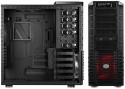
Before comparing the options, it helps to understand what each term means.Full tower — the largest standard case format. Typically 550mm+ tall, supports E-ATX, ATX, mATX, and ITX motherboards, multiple radiators, and extensive storage. Built for maximum expandability.Mid tower — the most popular PC case size. Typically 400–500mm tall, supports ATX, mATX, and ITX motherboards. The sweet spot for most gaming builds — enough room for all standard components without being massive.mATX (Micro ATX) — smaller than mid tower, typically 350–400mm. Supports mATX and ITX motherboards. Fewer expansion slots but more compact footprint. Growing in popularity for gaming builds in 2026.Mini-ITX — the smallest desktop form factor for gaming. Typically under 300mm. Supports only ITX motherboards. Requires careful component selection for cooling and compatibility. Popular for small desk setups and LAN party machines.Full Tower — Who It’s For
Full towers offer the most room of any standard case form factor. Benefits include space for large AIO radiators (420mm in some cases), multiple GPUs (though multi-GPU gaming is largely dead in 2026), extensive hard drive bays for storage servers, very large CPU air coolers, and excellent airflow potential.The trade-offs are significant. Full towers are large — they take up considerable desk or floor space. They’re heavy — often 10–15kg when built. They cost more. And in 2026 most gaming builds simply don’t need the extra room — modern GPU coolers are large but fit comfortably in quality mid towers.Full towers are the right choice for:- Enthusiast builds with 360mm or 420mm AIOs
- Server or NAS builds with many storage drives
- Builders who want maximum upgrade headroom for years
- Water cooling custom loops with large reservoirs
- Standard gaming builds with a single GPU
- Anyone with desk space limitations
- Builders who don’t plan extensive upgrades
- Fractal Design Torrent XL (~$200) — exceptional airflow, premium build
- be quiet! Dark Base 802 (~$180) — quiet operation, excellent cable management
Mid Tower — The Sweet Spot for Most Builders
Mid towers are the default recommendation for gaming PC builds in 2026 and for good reason. They fit all standard ATX motherboards and components, support 360mm AIOs, accommodate the largest consumer GPU coolers, and offer multiple fan mount positions for good airflow — all in a package that fits on or under most desks.The quality of mid tower cases has improved dramatically in recent years. Cases like the Fractal Design Pop Air, Corsair 4000D Airflow, and Lian Li Lancool 216 deliver excellent airflow, clean cable management routing, and tempered glass panels at very accessible prices. There’s no meaningful cooling or compatibility disadvantage to a mid tower versus a full tower for a typical gaming build.Mid towers are the right choice for:- Most gaming PC builds — this is the default recommendation
- Single GPU builds with standard ATX components
- Builders who want a good balance of space and desk footprint
- Anyone building their first PC
- Fractal Design Pop Air (~$90) — excellent airflow, good value, easy build
- Lian Li Lancool 216 (~$100) — top-tier airflow, two pre-installed fans, great value
- Corsair 4000D Airflow (~$100) — proven airflow design, good cable management
- be quiet! Pure Base 500DX (~$110) — quiet operation, solid build quality
mATX — The Growing Middle GroundmATX cases have grown significantly in popularity in 2026. They support Micro ATX motherboards which have fewer PCIe slots than full ATX but are perfectly adequate for gaming builds that use a single GPU. The smaller footprint saves desk space without the extreme component constraints of mini-ITX.Modern mATX cases like the Fractal Design Meshify 2 Mini support 280mm AIO radiators, full-size GPU coolers, and standard ATX power supplies — there are very few component compatibility concerns for a gaming build. mATX motherboards are also typically $20–40 cheaper than ATX equivalents.mATX is the right choice for:
- Builders who want a compact footprint without mini-ITX difficulty
- Single GPU gaming builds
- Anyone who doesn’t need more than one PCIe expansion slot
- Budget-conscious builders who want to save on the motherboard
- Fractal Design Meshify 2 Mini (~$100) — excellent airflow, clean design
- Lian Li Lancool 205M (~$80) — great value, good airflow
Mini-ITX — For Advanced Builders Who Want Small
Mini-ITX builds are increasingly capable in 2026 — modern ITX cases support full-size GPUs and 240mm AIOs in surprisingly small packages. However they require careful planning. Component clearances are tight, cable management is harder, and thermals can be a concern in poorly ventilated designs. Not recommended for first-time builders.Mini-ITX is the right choice for:- Experienced builders who want the smallest possible gaming PC
- LAN party machines that need to travel
- Desk setups where space is severely limited
- Fractal Design Terra (~$130) — excellent small form factor design
- NZXT H1 V2 (~$200) — integrated AIO, easiest ITX build
Full Tower vs Mid Tower — Direct Comparison
| Feature | Full Tower | Mid Tower |
|---|---|---|
| Motherboard support | E-ATX, ATX, mATX, ITX | ATX, mATX, ITX |
| Max radiator size | 420mm+ | 360mm (most cases) |
| Storage bays | 6–12+ | 2–6 |
| Desk footprint | Very large | Moderate |
| Weight (built) | 10–15kg+ | 6–10kg |
| Price | $150–300+ | $70–150 |
| Best for | Enthusiast / server | Most gaming builds |